Call Now

Route optimization software

Plan faster routes, track every job

Plan tighter routes and track every job in real time, so your crew stays on schedule and your customers always know what’s next.

No credit card required.

Housecall Pro + Force Fleet vehicle GPS tracking software with route visualization

Tell us your trade to see how Housecall Pro can help

Kimberly Sevilla, Shelter Air

I like the vehicle tracking a lot. I like my customers knowing where the tech is. They’re not going to be asking me, ‘When’s the tech getting here?’

Kimberly Sevilla | SHELTER AIR

PLAN, MAP, AND TRACK YOUR ROUTES

From planning to the last stop, every route runs on track

Route Planning
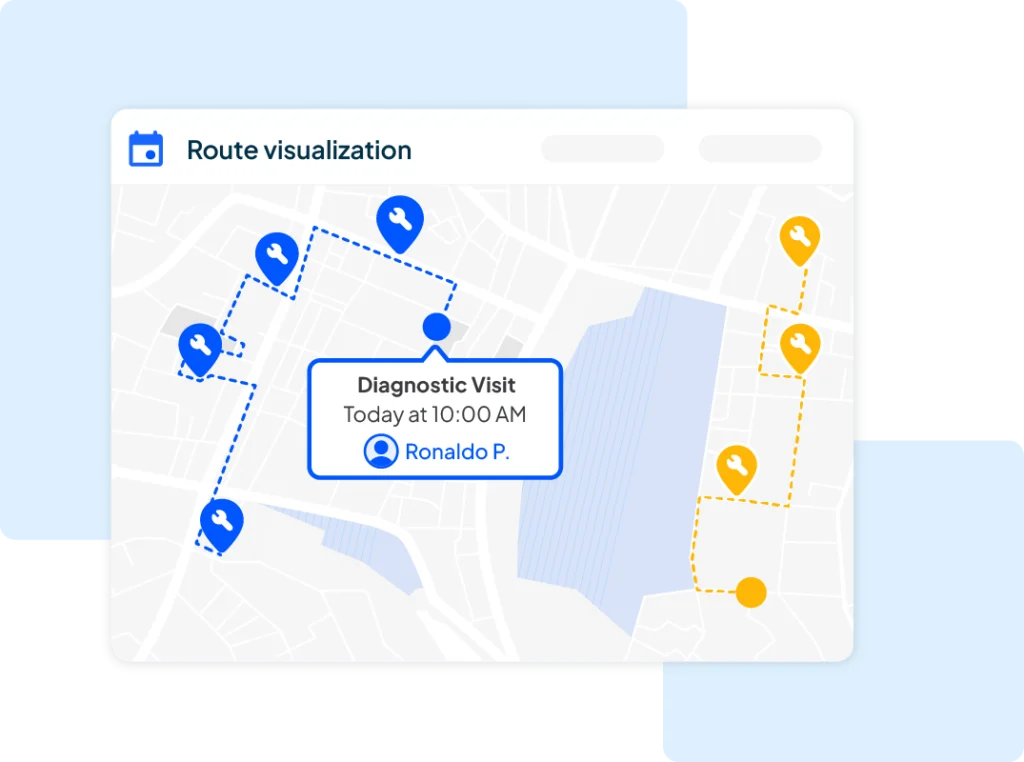
Diagnostic visit service route visualization

Build optimized routes without the guesswork

Drag-and-drop scheduling assigns the closest available tech to each job and sets accurate arrival windows for every stop.

  • Drag-and-drop scheduling assigns the closest available tech to each job automatically.

  • Set accurate arrival windows so customers know when to expect your team.

  • Reassign techs on the fly when a job runs long or a new one comes in.

Drag-and-Drop Scheduling link-arrow
Live Tracking
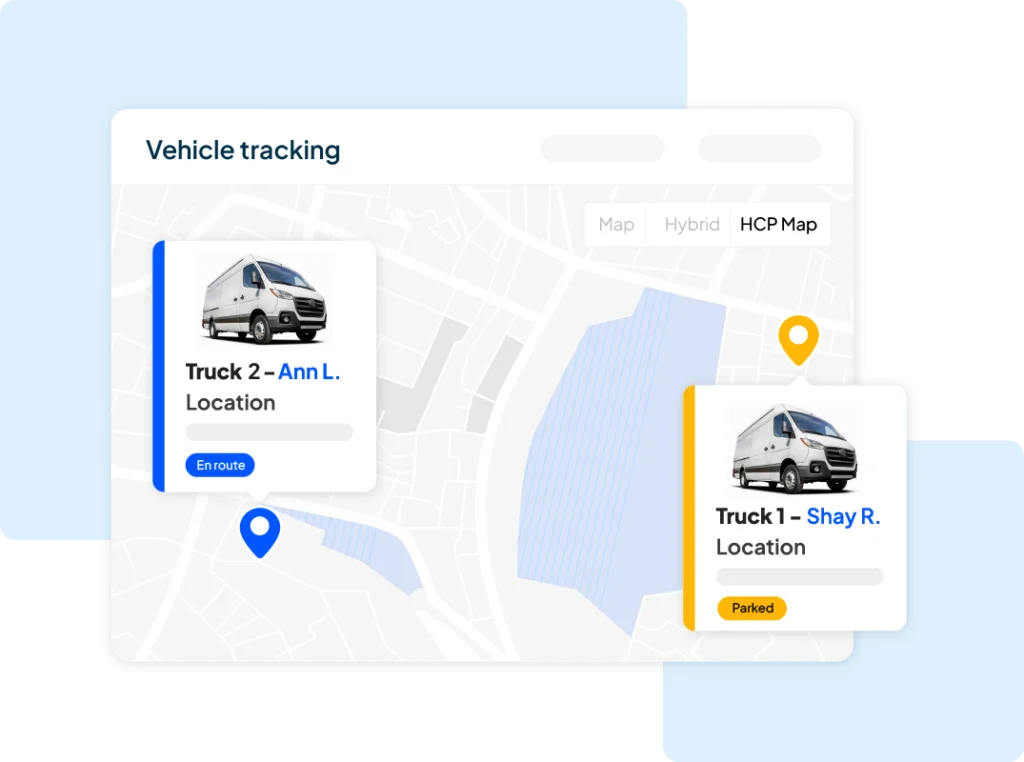
truck 1 + truck 2 vehicle GPS location on map

See every job and every tech on one live map

Employee GPS Tracking feeds your team’s phone location straight into a live map, so you know who’s on the way in real time.

  • Employee GPS Tracking updates your live map automatically from your team’s phones.

  • No separate hardware to install; location updates automatically from your team’s phones.

  • Check trip status at a glance to see who’s on the way and who just finished.

Vehicle GPS Tracking link-arrow
Team Routes
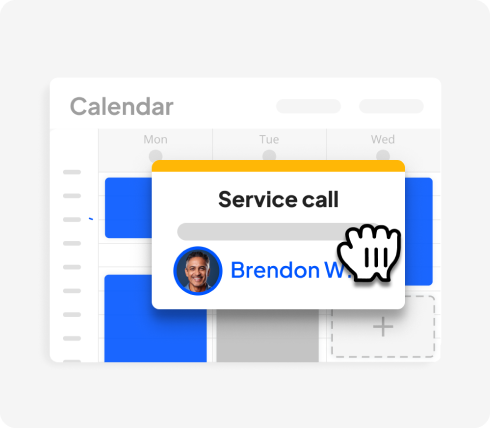
Housecall Pro's dispatch software with calendar scheduling view

Coordinate a crew of any size from one calendar

A shared dispatch calendar covers a single truck or your whole crew, so you can move jobs between techs the moment plans change.

  • One shared calendar covers dispatch for a single truck or an entire crew.

  • Move jobs between techs in seconds when routes change mid-day.

  • Built for teams of 1 to 100+, so dispatch works the same as you grow.

Dispatching Software link-arrow
Job Updates
Dashcam video overview dashboard

Keep customers posted without extra phone calls

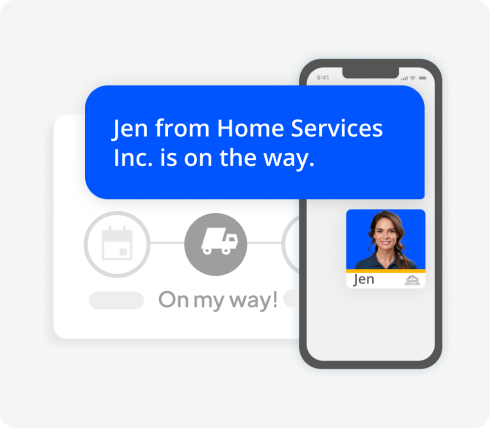
On My Way Texts fire the moment a tech is dispatched, so your customers know exactly when to expect them.

  • On My Way Texts fire automatically the moment a tech is dispatched to the job.

  • Customers see real-time status without a single phone call to your office.

  • Fewer “are you almost here?” calls means more time for your team on the road.

On My Way Texts link-arrow

Trusted by 200K+ Pros.
Built for teams of 1 to 100+.

  • 100 M+

    pro jobs completed

  • 35 %

    avg. pro revenue growth*

  • 8 +

    avg. hours saved per week

*Data based on average monthly revenue generated through Housecall Pro after the first year of using the platform.

What is route management software for field service?

Route management software assigns the right tech to the right job based on location, vehicle, and what’s on the schedule, so you’re not calling around to find who’s closest or risking a double-booked day.

In Housecall Pro, that’s Scheduling, plus real-time vehicle location through Vehicle GPS Tracking when you want it.

Other commonly asked questions about route management software

Does Housecall Pro include route optimization for field service teams?

Yes. Map efficient routes across your crew so techs spend less time driving and more time on jobsites. Add Vehicle GPS Tracking, powered by Force Fleet Tracking, to dispatch based on where your team actually is in real time, not just where they started the day.

How do field teams use GPS tracking to update customers?

Every dispatched job triggers an automatic On My Way Text, so your customers know when to expect their tech, no phone call needed.
• Add Vehicle GPS Tracking to include a live location link right in that text message.

Which routing optimization software is useful for service companies?

Housecall Pro helps your team coordinate routes across a whole crew, not just one truck, with a shared dispatch calendar and live map view.
• Set arrival windows per job and reassign techs on the fly as routes change during the day.

Does Housecall Pro include vehicle GPS fleet tracking?

Yes. Housecall Pro’s Vehicle GPS Tracking, powered by Force Fleet Tracking, brings real-time vehicle location, trip history, and safe driver scores into your dispatch workflow. Add optional Dashcam Video Monitoring, or visit our Vehicle GPS Tracking page for the full feature set.

Do I need to install hardware for GPS route tracking?

For vehicle-level tracking, yes: Housecall Pro ships a plug-in GPS device you install yourself, no professional installation required.
• Don’t want hardware? Employee GPS Tracking uses your team’s phones instead, no device required.

Does route optimization work with multiple trucks or one-person crews?

Yes, Housecall Pro’s route optimization works for a single truck or an entire fleet. It’s built for teams of 1 to 100+, so it scales as your business grows.
• Assign each tech their own route and arrival windows from one shared dispatch calendar, no matter how many trucks you run.

Can I manage routes and dispatch from my phone?

Yes. Monitor your crew, update job assignments, and track active jobs from your phone with the Housecall Pro Mobile App, whether you’re in the office or out in the field.

How does route and dispatch software save money for field service businesses?

Shorter drive times mean less fuel spend and less vehicle wear. When you dispatch based on real-time location rather than a static schedule, you cut unnecessary miles and free your techs up for more jobs in a day. Over time, that adds up.

Get a $50 gift card

See how Housecall Pro can fit your needs.

Get $50 gift card

Talk to an expert and see how Housecall Pro can fit your needs.

Prefer to explore on your own?

Book a Free Demo
Are you a Sherwin Williams Pro?
How did you hear about us?

By clicking 'Book a Demo' you agree to our Terms of Service (including the mandatory arbitration provision) and you acknowledge you have read our Privacy Policy. You also consent to receive marketing calls or SMS messages relating to our business, including by automated dialer, pre-recorded voice, or AI-generated voice technology, to the number you provide, for marketing purposes. Consent to receive such communications is not a condition to using our services, and if you choose not to consent, you may join by calling 858-842-5746.

Book a Free Demo
Are you a Sherwin Williams Pro?
How did you hear about us?

By clicking 'Book a Demo' you agree to our Terms of Service (including the mandatory arbitration provision) and you acknowledge you have read our Privacy Policy. You also consent to receive marketing calls or SMS messages relating to our business, including by automated dialer, pre-recorded voice, or AI-generated voice technology, to the number you provide, for marketing purposes. Consent to receive such communications is not a condition to using our services, and if you choose not to consent, you may join by calling 858-842-5746.